Partner program
Weko partner program for accountants and agencies
If you handle the accounting or the marketing of other businesses, recommend Weko to your clients and earn a commission. Your clients use it on their own.
For accountants and advisory firms
Weko sorts your clients' paperwork and hands it over ready to work with, with no chasing of invoices.
The problem
What your firm goes through every period
- Invoices that arrive as photos, in boxes and in loose emails.
- Asking the client for documents every period.
- Data that arrives late and incomplete.
- Typing in what someone else already had on paper.
How Weko helps
The data entry work, done before it reaches you
- Your client takes a photo, uploads a PDF or forwards the supplier's email.
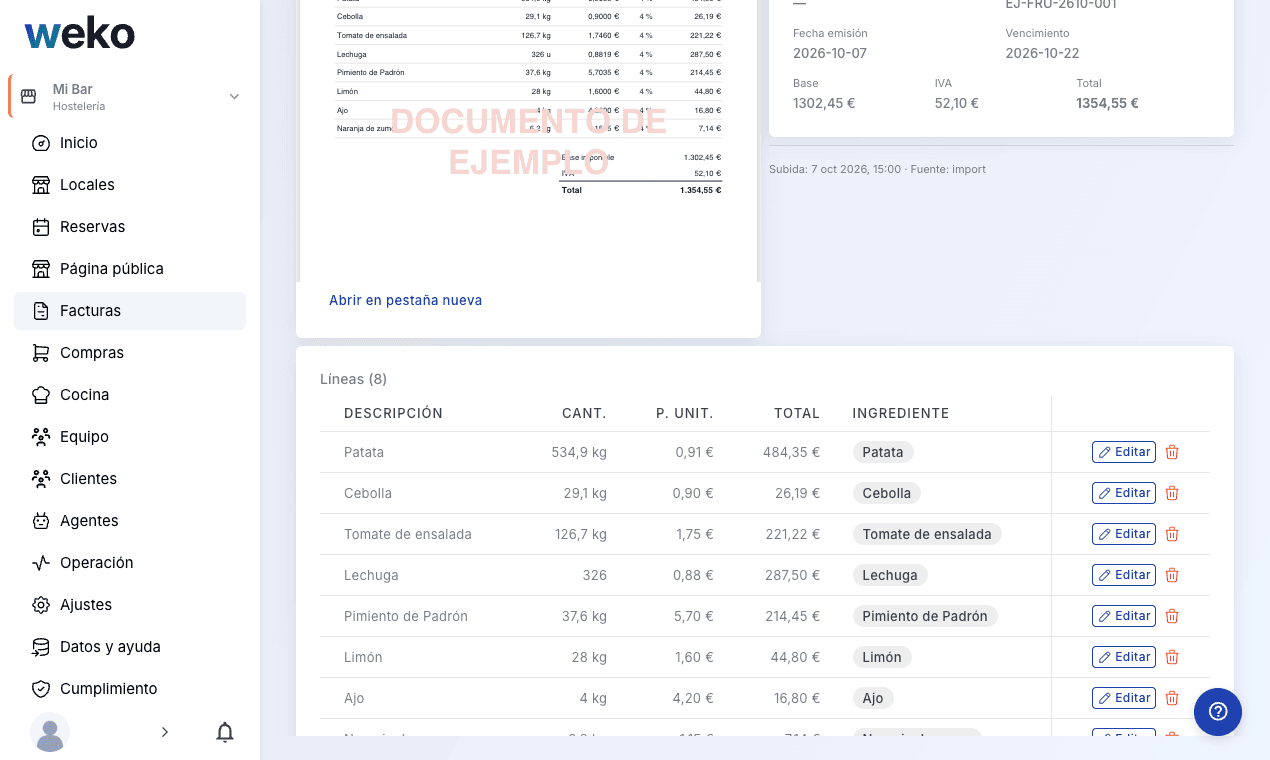
- Weko records the invoice, matches it against delivery notes and the bank, and flags the paid ones.
- You receive the material in order, without typing.
What the accountant receives
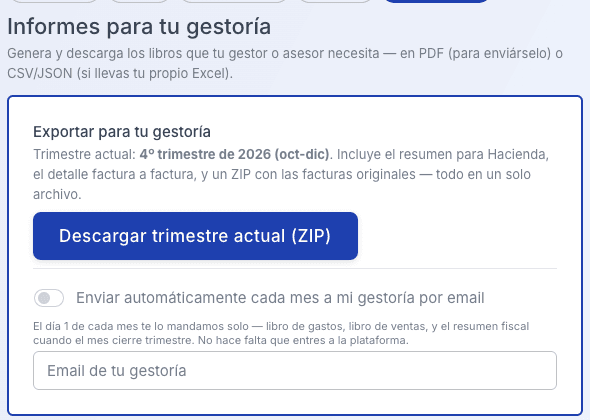
Everything you need to close the period
- Expense book and sales book.
- Your country's tax summary: Sales tax return.
- Invoice-by-invoice detail and a ZIP with the original invoices.
- Automatic delivery on the 1st of every month to the accountant's email, if the client turns it on.
- Download as PDF, CSV or JSON.
Accounting software in your country
- QuickBooksConnected
- XeroConnected
- FreshBooksComing soon
- WaveComing soon
- SageComing soon
- Zoho BooksComing soon
In the meantime, your accountant receives the books as PDF/CSV by email.
Included in all plans.
What your client sees
A business with its numbers in plain sight
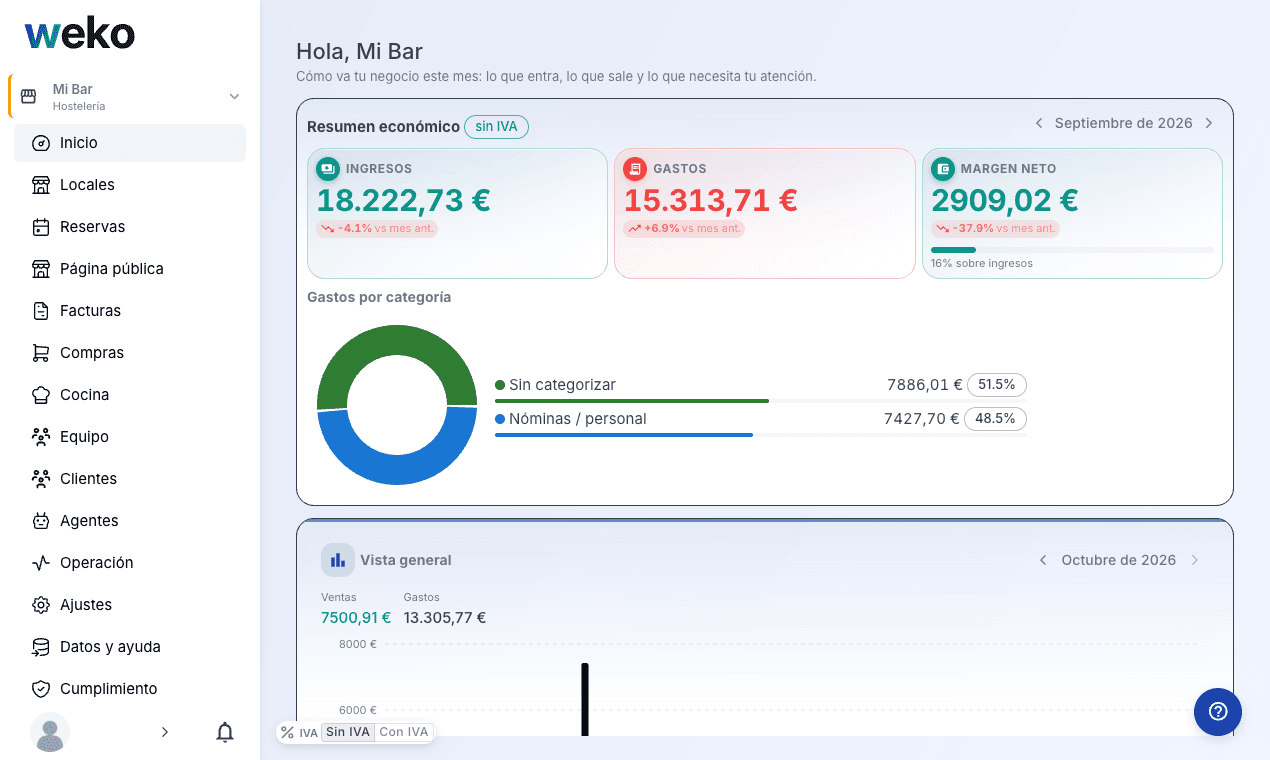
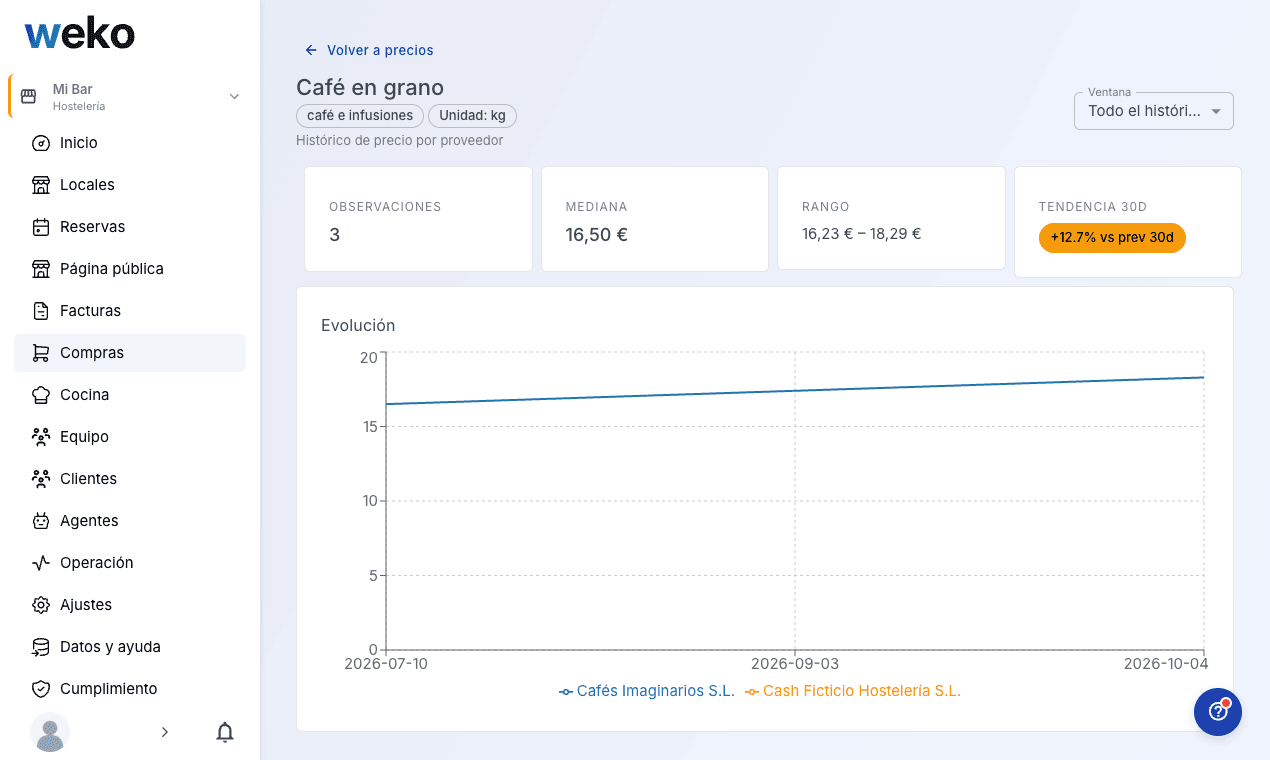
Their business in one place: invoices, supplier price-rise alerts, margin per product or service, appointments, team and cash. A client who knows their numbers asks you better questions.
Free resource
Closing checklist for your accountant: what to ask for and when
Before each close, gather and send:
- Invoices received in the period with date, supplier, tax ID, net amount, tax and total.
- Invoices issued with consecutive numbering.
- Bank statements for all accounts.
- Receipts without an invoice, with a note.
- Payroll and social security.
- Changes in the period (new hires, leavers, new premises, loans, investments).
- Questions for your accountant.
Tip: photograph receipts the same day.
This list is only a guide. Check with your accountant what they need in your case.
Weko sorts these papers for you: see how.
For marketing agencies
Recommend your clients a tool to run their business and earn a commission for each one who signs up.
What your client gets
One tool for the day-to-day of their business
- A photo of the invoice or the PDF, and Weko records each product and its price. No typing.
- See how the price of each product and each supplier goes up before it eats into the margin.
- If the business works with bookings or appointments: it takes them online from its own website, with no portal commissions.
- If the business works with bookings or appointments: an AI agent answers the calls and replies on WhatsApp from the business's own number.
- A dashboard of key figures and a tablet kiosk for the team to clock in.
Built for hospitality, fitness, beauty, retail, health and more.
Free tools
Free tools you can share with your clients
Weko has free tools that solve one specific problem. To see the result, your client leaves their email.
If your client sells through delivery on Uber Eats, there is a free tool that shows how much the app takes from each order and at what menu price it pays off to sell through it.
Partner program
How it works, in 3 steps
You sign up. You choose whether you are an accountant or an agency, fill in the form and we review your application.
You recommend Weko to the clients who need it, with your link or your partner code. Each client signs up for Weko on their own.
You get paid a commission on what your client pays, under the terms for your country, which you read before signing up.
If you earn a commission for recommending Weko, we ask you to tell your client.
Read the program terms · Accountant or advisory firm
Read the program terms · Marketing agency
Frequently asked questions
What accountants and agencies usually ask
Do my clients have to change the way they work?
They only take a photo, upload a PDF or forward an email.
Which accounting software does it work with?
With the ones in the list above. If yours is not there yet, your accountant receives the books as PDF/CSV by email.
How much does my client pay?
From $169 a month, no lock-in.
Can they try it?
There is a free demo with a sample business (it saves no data). There is no free trial and no free plan.
Can I offer Weko to my clients under my own brand?
No. Weko is always presented under its own name: you recommend it and your client signs up for Weko on their own.
Do I have to manage my client's account?
No. Your client uses Weko on their own: they create the account, choose their plan and manage it.
Do I have to tell my client that I earn a commission?
Yes. It is a condition of the program.
How much do I earn and when?
The amount, the dates and the payment method are in the terms for your country, which you read before signing up.
Where is my clients' data stored?
On servers in the European Union (Germany). Backups are stored encrypted.